

A post misses its best time while your team waits for approval. Then a second person finds a tagging error. Someone else rewrites the caption for another channel. These small delays can fill an afternoon and still leave your feed inconsistent.
Automated posting helps small teams move faster without giving up control. A clear workflow handles repeatable work, while people review each asset before it goes live. The goal is simple: create once, adapt each version, and publish on time.
Start by connecting content creation, approval, scheduling, and tagging in one pipeline. Use organic growth goals to guide the process. Then use AI-driven tools for repeat tasks.
Automated social workflows bring a content calendar, channel versions, and rule-based tags into one system. Do not treat an unverified tool or agent as a brand fact. Confirm its role before you name it in a workflow or sales document. For platform guidance, review the Meta Business Help Center.
Key Takeaways
AI tools can reduce the workload that once needed a five-person team.
Scheduling removes manual delays and can save marketers hours each week.
Shared workflows prevent overlap between teams and protect a steady brand voice.
Approval steps speed up publishing while keeping people in control.
What Do You Need Before Starting?
You need three things: a service provider, a planning system, and a memory layer for brand standards. A team can use a Social Media Management & Advertising service or manage the process in-house. Marketing managers do not need to build automated posting infrastructure before they begin. That removes a major technical barrier for small teams that manage several channels.
Does a team need a dedicated planning tool before automating posts?
Yes. A planning tool sets the strategy for each platform. It can then support social scheduling and publish at the best planned time for each channel. Without that step, automated posting may repeat the same content everywhere instead of adapting it.
How does a team keep tagging and captions consistent across staff?
Consistency needs a memory system. Store client preferences, past decisions, and brand context in one place. This keeps video tagging automation and captions on brand, even when staff members change. Confirm these basics before you increase volume:
A service partner or platform for several channels
A planning tool that sets cadence and timing for each platform
A stored record of brand voice, preferences, and past decisions
Skip one of these steps, and daily posting across several platforms becomes manual work again.
How Automated Posting Workflows Work
A strong workflow has five steps. It starts with content creation and ends with a performance review. Skip one step, and the time savings shrink. Manual posting, scheduling, and monitoring can take an afternoon. A connected system makes the same work easier to manage.
Before you build the sequence, create one shared content library. Also set a clear approval chain. Without both, social media managers return to manual coordination later.
Draft the core content once. Create a version and caption for each platform. This step supports automated posting and cuts repeated work.
Build a publishing calendar with social scheduling. Give each version a platform and time slot.
Tag video assets before they enter the queue. Video tagging automation can speed up the process while human approval stays in place.
Send same-day edits and new content through the pipeline. Keep final sign-off with a team member.
Review performance after publishing. Use the results to see which formats worked.
Does Automation Remove Human Oversight?
No. Automated systems handle repeat tasks. Approval gates still protect every asset before it goes live. Teams gain speed without giving up creative control.
What Should Small Teams Automate First?
Start with version creation. Tailored captions and formats for each channel remove a highly repetitive task. The saved time can go to audience replies and new content instead of duplicate formatting.
What Common Mistakes Should You Avoid?
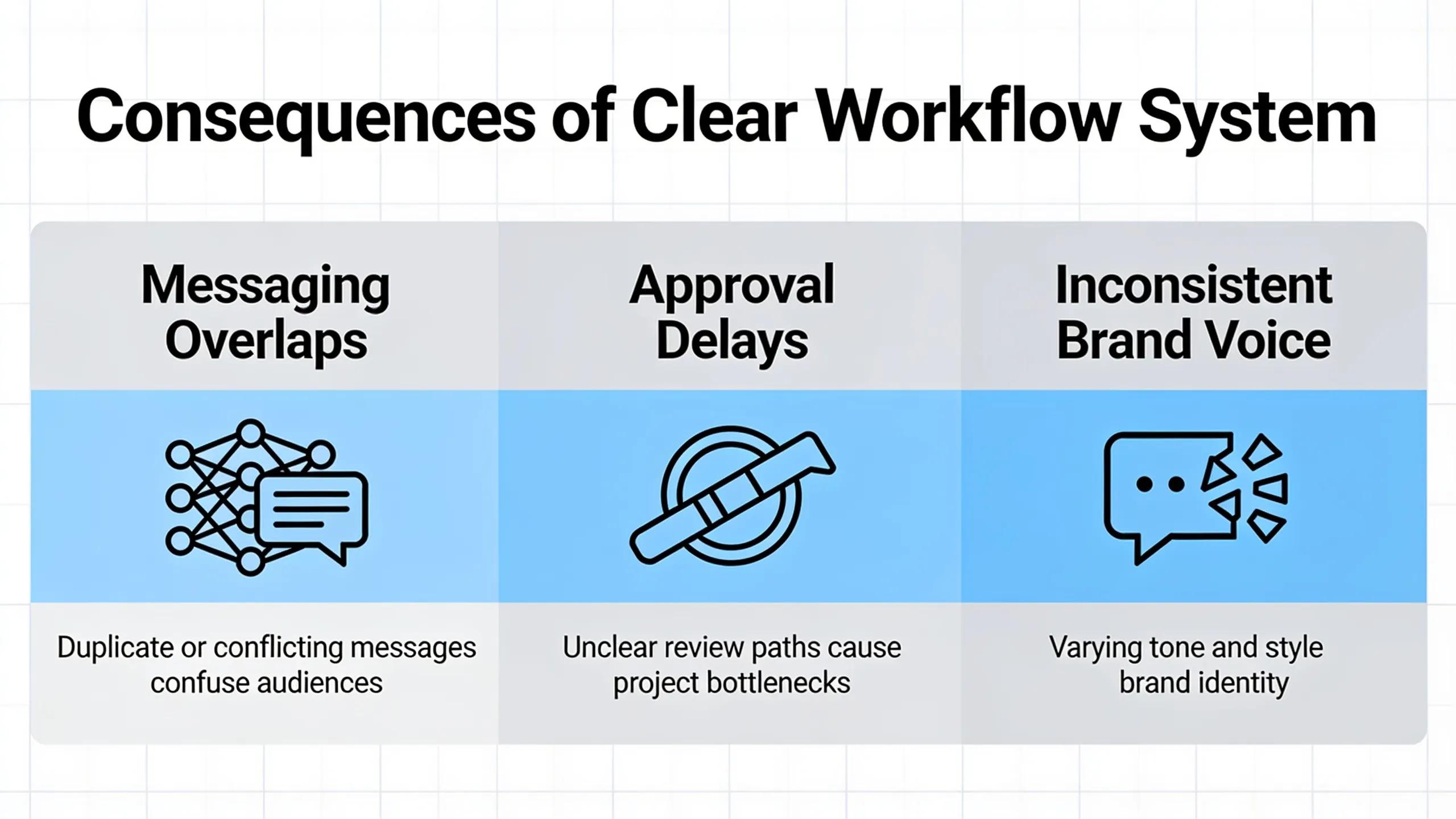
A missing workflow costs more than time. Messages overlap across channels. Approvals stall. The brand voice starts to drift. Small teams feel this risk more because fewer people can catch tagging errors or timing conflicts before publication. That makes automated posting and consistent social scheduling safeguards, not just conveniences.
Why do teams lose consistency as they scale?
Growth adds departments, approvers, and voices to the same channels. Marketing, product, and leadership may all want a say. Without shared rules, contradictions slip through.
What happens when project history is not preserved?
Teams lose meeting notes, client preferences, and past decisions about tags and captions. Each campaign then starts from zero.
Common mistakes to avoid:
Publishing without a shared calendar or approval chain.
Using manual tags instead of video tagging automation.
Failing to record client decisions before the next campaign begins.
Automated social media workflows turn content distribution from a bottleneck into a working system. Scheduling keeps posts moving. Platform-specific tags keep content clear. A steady publishing cadence gives teams useful performance data. Creative staff can then focus on strategy and production quality.
Who Runs This Playbook?
Whisenhunt Media is a digital marketing and video production agency in Las Vegas. Since 2017, it has produced more than 500 videos. Its work connects content creation, social media management, SEO, and organic traffic growth. You can review its 500+ videos produced portfolio to learn more about its production work.
Good automation does not replace judgment. It gives judgment a cleaner place to work.
Free tool
See what AI says about your business
Kiki, our AI strategist, reads your real website in a live browser and hands you a personalized growth plan in about a minute. Free, no signup.
Analyze my business →FAQ
What do you need before automating social media posts?
You need a service provider or platform for several channels, a planning tool for timing, and a stored record of brand voice and past decisions.
Is a dedicated planning tool necessary before automating posts?
Yes. A planning tool should set a strategy for each platform before it supports scheduling. Otherwise, automated posting may send the same content everywhere.
How does a team maintain consistent tagging and captions across staff?
Use a memory system that stores client preferences, past decisions, and strategic context. This keeps video tagging automation and captions on brand across the team.
About Whisenhunt Media
Written by the Whisenhunt Media production team, from the projects the studio plans, shoots, and ships in Las Vegas and on the road.